Can anyone help me fix these prices that are overlapping? I’m guessing its caused by the very long product titles but cannot seem to find a way to fix it. Some are fine while others overlap with the “compared to” price. I am using forge theme. Thanks!
AI-generated summary
A Shopify store owner using the Forge theme is experiencing product prices overlapping with “compare at” prices on collection pages, particularly when product titles are very long.
Proposed Solutions:
Two support teams (GemPages and PageFly) provided similar CSS-based fixes:
- Both recommend adding custom CSS code to the theme.liquid file before the
</body>tag - GemPages identified the root cause as existing theme code and provided screenshots showing where to implement the fix
- Access path: Online Store → Theme → Edit Code → theme.liquid
Current Status:
The issue remains unresolved as the original poster hasn’t confirmed whether either solution worked. Both responses include code snippets (shown as images/attachments in the thread) that need to be implemented. GemPages also recommended contacting the theme developer for the most comprehensive solution.

Hello @biznazz101
It’s GemPages support team and glad to support you today.
Can you give me your Store URL( with pass if your store password is enabled) so I can check it for you?
Kind & Best regards,
GemPages Support Team
Yes it is: halohairimports.com
pass: hairgems
Thank you!
Hello @biznazz101
It’s GemPages support team and glad to support you today.
I found that, this issue because this code from theme
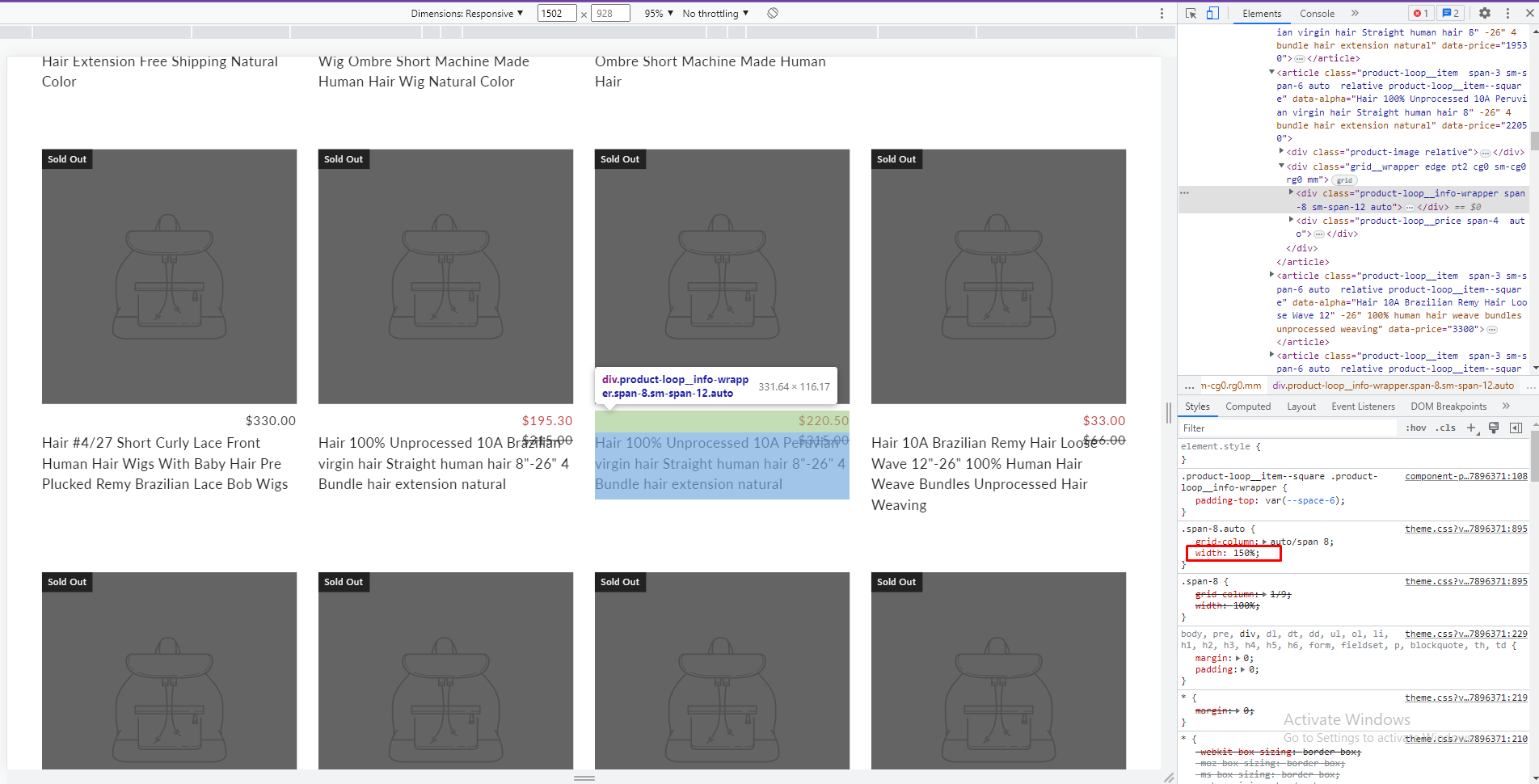
To hotfix, You can follow these steps:
- Go to Online Store->Theme->Edit code

- Open your theme.liquid file, paste the below code before

For the best, I recommend you contact to theme for support
I hope the above is useful to you.
Kind & Best regards,
GemPages Support Team
Hi @biznazz101
You can try this code by following these steps:
Go to Online store => themes => actions => edit code and add this code on file theme.liquid before tag

Hope this answer helps.
Best regards,
Victor | PageFly